Traeger
- 4.7
- Rating
- 1.00M
- Installs
- Free
- Price

 Analysis by App-foxy
I approached Traeger as more than a recipe companion. It is a Food & Drink app built around the connected-grill experience, and that makes trust part of the practical question: you are not only browsing cooking ideas, but potentially linking an account, a phone, a WiFi-enabled grill, and your own cooking routines. After spending time with it, I found the app most useful when I treated it as a control and planning tool rather than as a replacement for basic grilling judgment.
Developed by Traeger Pellet Grills, LLC., the app is free and available to an Everyone audience. It has built a strong presence on mobile, with more than a million installs and a 4.6 average from roughly 27 thousand ratings. Those figures suggest that it has become a familiar part of the Traeger ownership experience, although popularity alone is not a reason to hand over more information than you are comfortable sharing.
How Traeger Fits Into Everyday Cooking
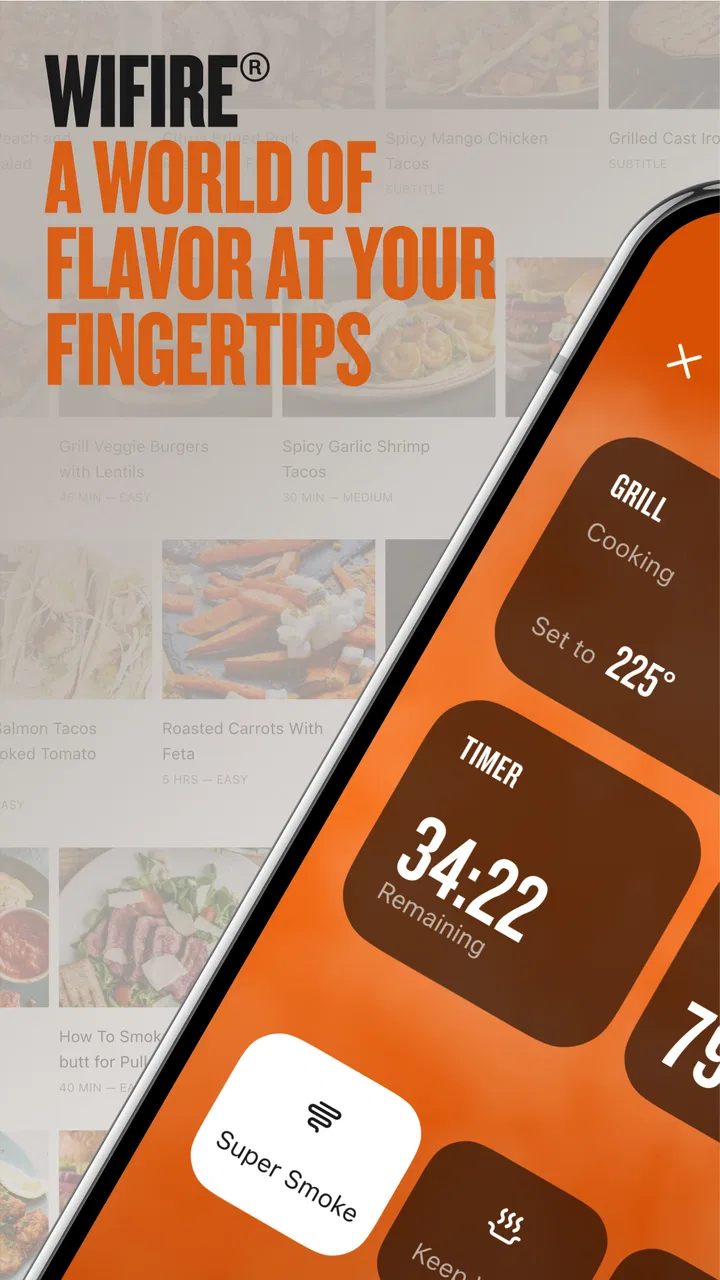
The central appeal is straightforward: the app connects with a WiFIRE grill and brings the wider Traeger community into the same place. In practical use, that means I can think about a cook before I go outside, look for an appropriate recipe or idea, and use the phone as an additional interface while the food is on the grill. The experience is very different from opening a general recipe app and then manually managing every temperature change on the grill itself.
You May Also Like

 Blood Strike: 2.5 Anniversary
Blood Strike’s Loadouts Turn Every Drop Into a Tactical Gamble
A close look at Blood Strike’s custom loadouts: how fast access to signature weapons reshapes its battle royale rhythm, rewards preparation, and narrows the gap between fights.

 Pandora - Music & Podcasts
Pandora’s Music Is Easy to Start, but Harder to Recover
Pandora’s strength is its low-effort path from a seed to a station. Its weak spot is how much confidence it asks you to place in connection, setup, and quiet recovery.

 8 Ball Pool
 Is Built on Rivalries, Rematches, and Routine
A close look at the rivalries, rematches, shared routines, and unanswered safety questions that turn a quick pool match into a persistent mobile community.

 Samsung Music
’s Quiet Strength Is Playing What You Already Own
Its reach comes less from spectacle than from dependable access to a personal library. That simplicity is both the app’s strongest retention engine and its ceiling.

 AccuWeather: Weather Radar
AccuWeather Review: A Quick, Clear Forecast for Everyday Decisions
For everyday plans, the best forecast is the one you can understand quickly. AccuWeather makes rain timing, radar, and local conditions easy to act on, with a few trade-offs.

 Hill Climb Racing
Why Hill Climb Racing Still Turns Crashes Into One More Run
A tiny car, a bumpy hill and one more upgrade: Hill Climb Racing keeps resurfacing because its simple chaos makes every near-miss feel personal.
More From Our News Desk



That difference matters most during a long cook. If I am preparing food that needs patience, the value is not simply seeing another recipe card. It is having planning, grill interaction, and cooking reference material associated with the same ecosystem. I still need to check the food, understand the recipe, and make sensible decisions, but the app reduces the amount of switching between unrelated tools.
For a first-time connected-grill owner, this can make the equipment feel less intimidating. Instead of learning every control immediately, I can begin with a guided cooking idea and gradually understand how the grill behaves. For an experienced outdoor cook, the benefit is less about teaching the basics and more about convenience: the phone becomes a practical companion when I am moving between the kitchen, patio, and dining area.
Where the Connected Approach Helps
A realistic example is a weekend meal that starts in the afternoon and is served later in the evening. I can prepare the food, review the intended cooking process, and keep the app nearby while handling other tasks. If I am hosting, that reduces the need to stay beside the grill every minute. It does not eliminate responsibility, but it makes the cooking session easier to organize than relying on memory, a paper recipe, and separate grill controls.
The community element also changes how the app feels. Traeger is not limited to a private collection of instructions; it is positioned as a meeting point for people using the same brand of equipment. That can be useful when I want ideas that make sense for pellet-grill cooking rather than generic stovetop or oven instructions. The trade-off is that community content can vary in usefulness, so I prefer to treat it as inspiration and compare any suggested process with my own ingredients, equipment, and food-safety habits.
One of the less obvious strengths is the way the app can support a repeatable routine. If I cook a dish more than once, the digital workflow is easier to revisit than a loose note saved somewhere else. I can keep the preparation and grill context together, which is particularly helpful when cooking is spread across several hours. This is a small convenience, but it is the kind that becomes more valuable after repeated use.
Trust Starts With the Account and Grill Connection
Because this is a connected-device app, I pay attention to the moments when it asks me to sign in, connect equipment, or allow access on the phone. The important distinction is between a feature I actively choose and a permission that feels unrelated to cooking. A grill-control app has a reasonable reason to need a network connection for its core purpose. That does not mean I should automatically approve every optional request without reading what the screen is asking.
My practical advice is to set up the account when you have time to read each prompt, rather than rushing through setup while preparing food. Confirm that the selected grill is the one you intend to use, review the phone’s permission controls, and avoid granting access that does not seem necessary for the task in front of you. If you later stop using the connected features, revisit both the app settings and the phone’s system settings instead of leaving old access untouched.
This is also where expectations should remain realistic. A phone interface can make a grill easier to manage, but it should not be treated as proof that every cooking decision is being handled for you. Network interruptions, a misplaced phone, or a change in the cooking plan can all affect the experience. I regard the app as a helpful layer over the grill, not as a substitute for checking food and understanding what is happening outdoors.
Visible Choices Matter More Than Convenience
When I assess an app like this, I look for moments where the user can make a clear choice: whether to connect the grill, whether to use community material, whether to maintain an account, and which phone permissions are enabled. Those choices are more meaningful than a general promise that an app is convenient. Traeger works best for me when I make those decisions deliberately and keep the setup limited to what I actually use.
There is a useful difference between using the app as a recipe browser and using it as a connected control companion. The first use is relatively easy to understand: open the app, find an idea, and cook using your normal method. The second involves more personal setup and more dependence on connectivity. If you only want recipes, you may not need the full connected experience. If you bought a WiFIRE grill specifically to manage cooks from your phone, the additional setup is much more central to the app’s value.
I also prefer not to assume that a community feature is automatically private or automatically public in every situation. When posting, saving, or interacting with content, I would read the available choices carefully and use the least revealing option that still serves the purpose. Cooking does not require sharing personal details, household routines, or location-related information with a wider audience.
Data-Sensitive Moments During a Cook
The most sensitive moments are not necessarily when I am reading a recipe. They are when the app connects the physical grill to the digital account, when I move between networks, and when I decide whether to participate in the community. Those steps link a cooking device with a person’s phone and habits, so I treat them as setup decisions rather than harmless taps.
For a household with several people, I would agree on who should manage the grill before connecting multiple phones. That avoids confusion over which account is being used and reduces the chance that someone changes a cooking process without realizing another person is relying on it. If the grill is sold, moved, or given to someone else, the previous owner should clean up the connection and account relationship as part of the handover.
Another useful habit is to distinguish between information needed for a single cook and information kept for future convenience. Saving a recipe or returning to a cooking workflow can be helpful, but I do not need to preserve every interaction forever. Periodically reviewing saved material, account details, and phone permissions gives me more control than simply leaving the initial setup unchanged.
I would also avoid using a shared or public device for account access unless I can sign out properly afterward. This is ordinary digital hygiene, but connected cooking makes it easy to overlook because the app feels like an appliance accessory. The more personal the account and the more directly it interacts with equipment, the more worthwhile it is to keep access organized.
What the Latest Version Means in Practice
The current version is 3.18.0, and the app supports devices running iOS 10 or later. That makes compatibility a basic point to check before installing, especially if your phone is older or has not received recent system updates. The app’s release history began on March 21, 2017, so it is not a brand-new experiment; it has had time to become part of Traeger’s broader mobile experience.
Still, an established app can have friction. Connected products depend on more than the app itself: the phone, the home network, the grill, and the account all have to cooperate. When something does not respond immediately, it may not be obvious whether the issue comes from the app, the connection, or the equipment. That is why I would not plan a time-critical meal around remote control alone. I keep the physical cooking process understandable even when the phone is unavailable.
The app is also not ideal for every cooking style. If you enjoy improvising over charcoal, changing heat by feel, or keeping your phone away from food preparation, the connected features may add little. A general recipe app can be better for someone who cooks across many brands and appliances. A simple kitchen timer may be better for someone who wants only reminders. Traeger earns its place when the grill connection is genuinely useful, not merely because a branded app exists.
Practical Workflows That Make It More Useful
I get more from the app when I separate planning from active cooking. Before lighting the grill, I review the recipe or cooking idea, check that I have the ingredients, and decide whether the suggested process fits the time available. This prevents the common mistake of starting a long cook and only then discovering that the schedule does not work for the meal.
A second helpful workflow is to use the app as a reference while keeping a simple backup plan. I note the basic food, intended serving time, and any important preparation steps outside the app when the meal matters. That is not a criticism of Traeger; it is a sensible response to the fact that phones lose battery, networks fail, and plans change. The app can manage convenience, while a small amount of independent preparation protects the meal.
A third is to use community ideas selectively. Rather than copying a recipe without thought, I look at whether the cut of meat, portion size, weather, and desired result match my situation. Pellet grills can behave differently depending on conditions and food load, so a community suggestion should be a starting point. This is where personal judgment remains more valuable than a polished digital workflow.
For families, I would create a clear division of responsibility. One person can handle preparation and another can monitor the grill, but both should know how to stop relying on the app if necessary. This makes the technology an aid instead of a single point of failure. It also answers a question many new owners have: yes, the app can make shared cooking easier, but only when everyone understands who is making changes and what the fallback process is.
Who Should Install It
I would recommend Traeger to someone who owns a compatible WiFIRE grill and wants one place for connected cooking, recipe discovery, and access to a brand-focused community. It is particularly appealing if you cook larger meals, enjoy planning ahead, or like checking progress without standing beside the grill continuously. The free price removes an obvious barrier to trying it, although the real value depends on owning and using the related Traeger equipment.
It is also a reasonable choice for a new pellet-grill owner who wants help building confidence. The app can provide structure while the user learns how preparation, timing, and grill management fit together. I would still encourage beginners to learn the physical controls and basic food-safety practices rather than depending entirely on prompts.
I would skip it if I do not own a Traeger connected grill, if I strongly prefer offline tools, or if I want a neutral recipe library that works equally well with every cooking method. I would also think twice if I dislike creating accounts or connecting household equipment to a phone. In those cases, the app’s main advantage becomes a source of extra setup rather than a meaningful improvement.
My Cautious Verdict
Traeger succeeds because it connects a specific cooking device with the planning habits people already use on their phones. In my experience, the strongest use is not a single clever feature; it is the combined workflow of choosing an idea, preparing the cook, staying informed, and returning to useful material later. That combination feels practical when I am already committed to the Traeger ecosystem.
My reservation is that convenience can encourage overconfidence. A connected grill is still a cooking appliance, and the app cannot make every decision for me or guarantee that a network-dependent workflow will be available at exactly the right moment. I also prefer to keep account, permission, and community choices intentional, especially when a household shares equipment.
Overall, I see Traeger as a worthwhile free companion for owners who want connected grilling and are comfortable managing the associated account and device choices. Its 4.6 average across around 27 thousand ratings reflects a broadly positive reception, but the right decision depends less on that number than on how you cook. If your grill is the center of your outdoor cooking routine, the app can make that routine smoother; if you only want recipes or a basic timer, a simpler alternative may serve you better.
The developer is Traeger Pellet Grills, LLC., and the Everyone age rating makes the app approachable for general household use. I would install it with a measured setup: connect only the equipment I need, review the choices shown during onboarding, keep a backup cooking plan, and reassess permissions if my use changes. Used that way, Traeger feels like a useful extension of the grill rather than something that should quietly take over the entire cooking experience.
FAQs for Traeger
01What features does the Traeger app offer?
The Traeger app provides a comprehensive grilling experience, offering features such as remote control of your grill, access to thousands of recipes, and the ability to create custom cooking alerts. It also includes a grill temperature monitor, a timer, and step-by-step cooking guidance to enhance your grilling skills.
02Is the Traeger app compatible with all grill models?
The Traeger app is primarily designed to work with WiFIRE-enabled grills, allowing users to control and monitor their grills remotely. It's best to check the compatibility of your specific model on the Traeger website or within the app itself to ensure full functionality before downloading.
03Do I need an internet connection to use the Traeger app?
Yes, an internet connection is required to utilize the app's full range of features, including remote control, recipe browsing, and firmware updates. While some basic functions may be accessible offline, an internet connection ensures the best experience and access to all features.
04Is there a cost associated with using the Traeger app?
The Traeger app is free to download and use. However, to maximize its capabilities, a WiFIRE-enabled Traeger grill is recommended. There are no subscription fees or in-app purchases, making it an accessible tool for enhancing your grilling adventures.
05How user-friendly is the Traeger app for beginners?
The Traeger app is designed with user-friendliness in mind, featuring an intuitive interface and easy navigation. Beginners will appreciate the step-by-step cooking guides, helpful tips, and video tutorials. The app's design simplifies the grilling process, making it accessible for users of all skill levels.
Pros
- Intuitive user interface for easy navigation.
- Extensive recipe library for diverse tastes.
- Remote control of grill settings via app.
- Real-time temperature monitoring for precision.
- Regular updates enhance functionality and stability.
Cons
- Requires stable internet connection.
- Limited compatibility with older devices.
- Occasional connectivity issues reported.
- Some features locked behind subscription.
- User interface can feel cluttered at times.

Traeger
Gallery